When it comes to WordPress security, the two heavyweights I’ve often encountered are Wordfence vs Jetpack. Both plugins offer robust features designed to protect your website from various threats, but they cater to different needs and preferences. Wordfence is well-known for its comprehensive firewall and malware scanning capabilities, while Jetpack provides a suite of tools for performance and security in one package. For a deeper comparison of security solutions, you can also check out our review, “Read: Wordfence vs Really Simple Security.
Both offer robust solutions, but their approaches and features vary significantly. Having used both extensively, I thought I’d share my experience and help you decide which might be the better fit for your website.
Overview: Wordfence and Jetpack
- Wordfence is a dedicated security plugin designed specifically for WordPress. It focuses on features like malware scanning, firewall protection, and brute force attack prevention.
- Jetpack, on the other hand, is an all-in-one plugin by Automattic (the folks behind WordPress.com). While security is a significant part of Jetpack, it also offers tools for performance, site management, and analytics.
Both are good in their own right, but they cater to slightly different audiences and needs.
Wordfence: The All-in-One Security Solution
What it is:
Wordfence is one of the most comprehensive security plugins for WordPress. It includes malware scanning, a firewall, brute force protection, and real-time traffic monitoring.
Wordfence operates as a web application firewall (WAF) that protects sites from real-time threats and keeps track of activity with detailed reports and alerts.

Before you get started, you’d need to obtain the license from Wordfence. Every domain requires a new license.

From Wordfence
At Wordfence our priority is to serve the needs and challenges of our customers. Our customers guide most of our decision-making.
How it works:
Wordfence’s firewall sits at the application level, meaning it’s directly integrated into WordPress and runs through PHP. While this is convenient and flexible, it’s worth noting that this firewall activates after web server requests are received.
As a result, it’s effective, but slightly slower in terms of initial threat blocking compared to firewalls that intercept traffic before it hits the server.
My Experience with Wordfence:
Wordfence is one of those plugins that’s incredibly thorough. Once installed and configured, it actively monitors the site for suspicious behavior and blocks malicious IPs and known threats in real time.
I’ve found its dashboard to be very user-friendly, and the alerts it provides are detailed enough to keep me informed without feeling overwhelming.
The malware scanner is also comprehensive, checking core files, themes, and plugins for anything out of the ordinary.
Pros of Wordfence:
- All-in-one protection: Wordfence covers pretty much every angle, from firewall and malware scanning to login protection.
- Real-time alerts and IP blocking: Its real-time monitoring and IP blocking keep attackers at bay instantly.
- Customizable rules and alerts: You can adjust settings to customize protection based on your specific needs.
- Detailed monitoring and alerts: You’ll get alerts when Wordfence detects issues, so you’re always aware of what’s happening.
Cons of Wordfence:
- Resource usage: Wordfence can be resource-intensive, especially during scans, which may impact performance on smaller hosting plans.
- Delayed firewall activation: Because it’s an application-level firewall, threats aren’t intercepted until they reach the server.
- Subscription for premium features: The free version is solid, but the firewall is more effective with the premium version, which updates rules in real time.
- Not as targeted in vulnerability scanning: Wordfence scans broadly for malware and suspicious files, but WPScan is often better at identifying specific vulnerabilities in plugins and themes.
Cost of Wordfence
Wordfence will set you back minimum $119 /year per domain. Most of the cost goes to dedicated support for your website. For the free version, you’d have to rely on community to help you out.
If you are inclined to purchase, go for $490/ year. They have do-it-for-you solution which automatically looks after your WordPress without lifting a finger.
Jetpack: The Swiss Army Knife
Jetpack is a multifunctional plugin developed by Automattic, the company behind WordPress.com. It’s more of a feature bundle than a pure security tool.
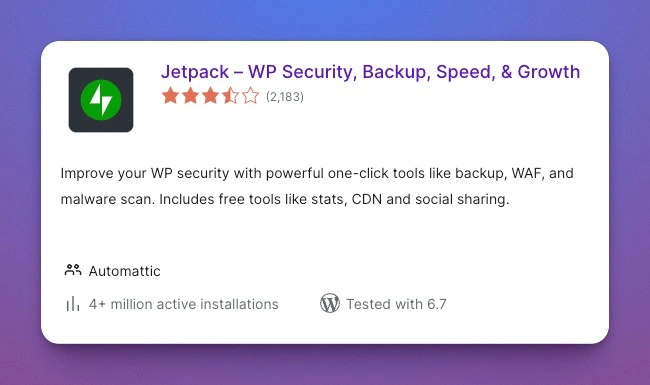
With over 4 million installations, Jetpack is the go to for all-in-one plugin.
What I Love About Jetpack
- Multiple Features in One Plugin
Jetpack covers everything from backup solutions and performance optimization to site stats and content sharing tools. For non-tech-savvy users, it’s an all-in-one solution. - Brute Force Protection
Jetpack does provide basic brute force protection, and setting it up is seamless. It’s less robust than Wordfence but still a good safety net for smaller websites. - Content Tools
I love using the related posts feature and social media auto-posting for blogs. It’s convenient and helps drive engagement.
Drawbacks
- Security Isn’t Its Core Strength: Jetpack’s security features, while useful, aren’t as detailed or advanced as Wordfence’s.
- Paid Features: While there’s a free version, many of the most useful features, like daily backups and malware scans, require a paid subscription.
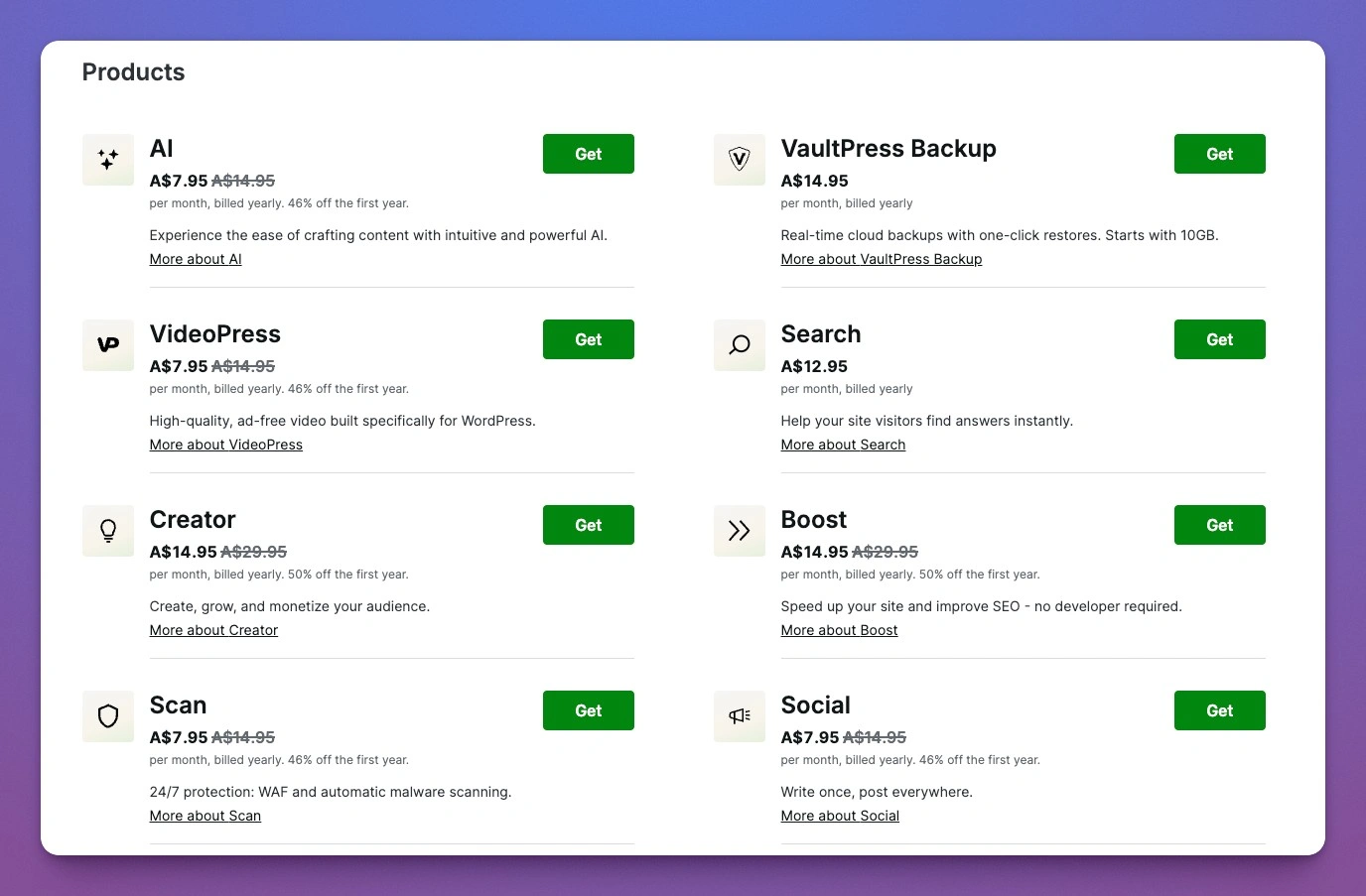
JetPack Pricing is dependant on what you want in your WordPress. (It was a different pricing in the past)
Jetpack is great for Small business owner who doesn’t have support team.
Side by Side Comparison
| Feature | Wordfence | Jetpack |
|---|---|---|
| Focus | Security | All-in-one (security, backups, performance, etc.) |
| Firewall | Yes (Advanced) | Basic (Brute force protection only) |
| Malware Scanner | Yes | Paid tier only |
| Site Performance Tools | No | Yes |
| Ease of Use | Moderate | Easy |
| Cost | Free + Paid Pro version | Free + Paid plans |
My Recommendation
If your priority is security, I’d recommend Wordfence. Its robust firewall, malware scanner, and real-time protection are unmatched. It’s perfect for sites that handle sensitive data, like e-commerce stores or membership sites.
On the other hand, if you’re looking for an all-in-one tool to handle security, backups, performance, and social sharing, Jetpack is a great choice. I often recommend it to bloggers or small business owners who want simplicity without juggling multiple plugins.
My Final Verdict
Personally, I use Wordfence on my high-traffic or e-commerce sites where security is non-negotiable. For my smaller projects or blogs, Jetpack offers convenience and flexibility.
At the end of the day, the right choice depends on your specific needs. Think about your site’s goals, its traffic, and your level of technical expertise before deciding.
You might always want to learn about WordPress Security Layers.
What about you? Have you tried Wordfence or Jetpack? Let me know your experience—I’d love to hear your thoughts!
Ready to take your WordPress security to the next level? With WebCare, you get expert-level security and ongoing maintenance tailored to keep your site safe, fast, and running smoothly.
From proactive protection to regular updates and hands-on support, we handle it all so you can focus on what you do best. Don’t leave your site vulnerable—let’s secure it together!
Get started with WebCare today and protect your WordPress site with confidence!