When it comes to securing a WordPress site, there are countless options out there, but Wordfence vs NinjaFirewall stand out as two of the most popular and robust choices.
As someone who’s spent quite a bit of time working on WordPress security, I’ve had the chance to try both of these tools. Let me break down my experiences with each and share what makes them unique, along with what might make one better suited to your site than the other.
Table of Contents
Wordfence: The All-in-One Security Solution
What it is:
Wordfence is one of the most comprehensive security plugins for WordPress. It includes malware scanning, a firewall, brute force protection, and real-time traffic monitoring.
Wordfence operates as a web application firewall (WAF) that protects sites from real-time threats and keeps track of activity with detailed reports and alerts.

Before you get started, you’d need to obtain the license from Wordfence. Every domain requires a new license.

From Wordfence
At Wordfence our priority is to serve the needs and challenges of our customers. Our customers guide most of our decision-making.
How it works:
Wordfence’s firewall sits at the application level, meaning it’s directly integrated into WordPress and runs through PHP. While this is convenient and flexible, it’s worth noting that this firewall activates after web server requests are received.
As a result, it’s effective, but slightly slower in terms of initial threat blocking compared to firewalls that intercept traffic before it hits the server.
My Experience with Wordfence:
Wordfence is one of those plugins that’s incredibly thorough. Once installed and configured, it actively monitors the site for suspicious behavior and blocks malicious IPs and known threats in real time.
I’ve found its dashboard to be very user-friendly, and the alerts it provides are detailed enough to keep me informed without feeling overwhelming.
The malware scanner is also comprehensive, checking core files, themes, and plugins for anything out of the ordinary.
Pros of Wordfence:
- All-in-one protection: Wordfence covers pretty much every angle, from firewall and malware scanning to login protection.
- Real-time alerts and IP blocking: Its real-time monitoring and IP blocking keep attackers at bay instantly.
- Customizable rules and alerts: You can adjust settings to customize protection based on your specific needs.
- Detailed monitoring and alerts: You’ll get alerts when Wordfence detects issues, so you’re always aware of what’s happening.
Cons of Wordfence:
- Resource usage: Wordfence can be resource-intensive, especially during scans, which may impact performance on smaller hosting plans.
- Delayed firewall activation: Because it’s an application-level firewall, threats aren’t intercepted until they reach the server.
- Subscription for premium features: The free version is solid, but the firewall is more effective with the premium version, which updates rules in real time.
- Not as targeted in vulnerability scanning: Wordfence scans broadly for malware and suspicious files, but WPScan is often better at identifying specific vulnerabilities in plugins and themes.
Cost of Wordfence
Wordfence will set you back minimum $119 /year per domain. Most of the cost goes to dedicated support for your website. For the free version, you’d have to rely on community to help you out.
If you are inclined to purchase, go for $490/ year. They have do-it-for-you solution which automatically looks after your WordPress without lifting a finger.
NinjaFirewall: Lightweight, External Security Layer
What it is:
NinjaFirewall is a stand-alone web application firewall that integrates into WordPress.
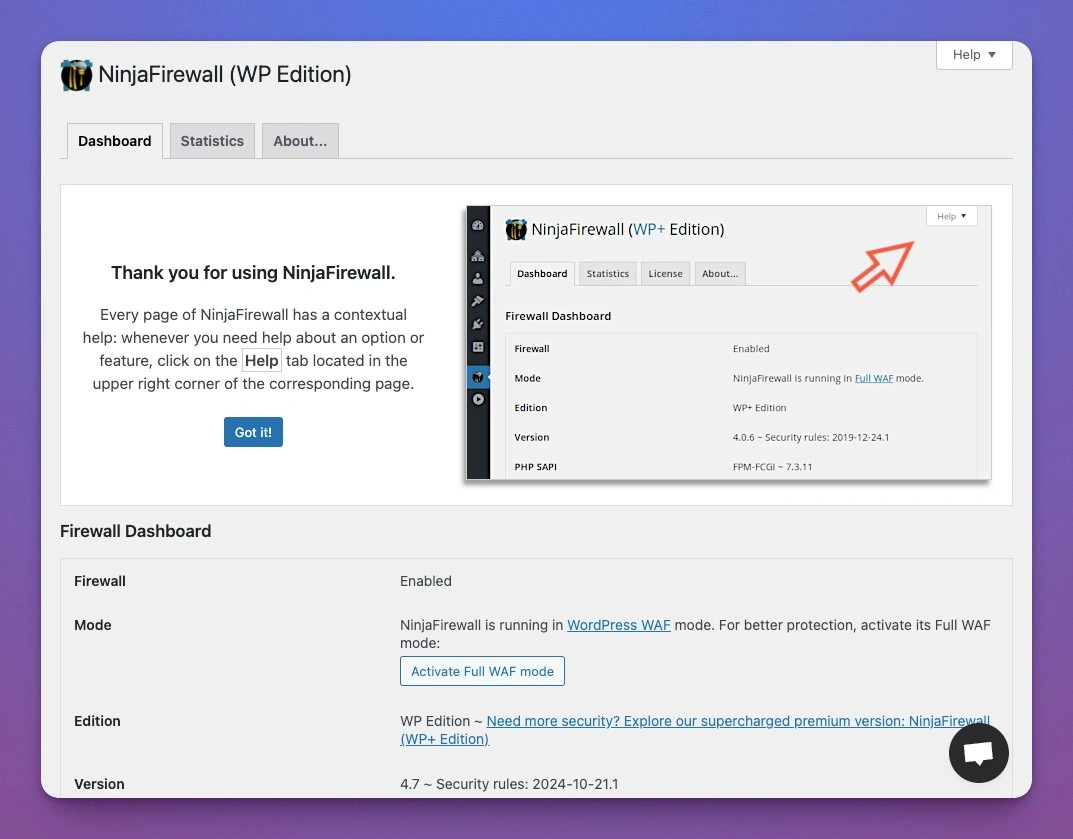
NinjaFirewall operates as a true firewall with the ability to intercept HTTP traffic before it reaches the WordPress core.
This makes it effective for blocking threats early and reducing the load on WordPress itself.
From Nintechnet themselves
WordPress plugins to help you protect your website and keep it up & running for both professional business sites and personal blogs.
How it works:
NinjaFirewall works at a slightly higher level than WordPress plugins like Wordfence or Defender, acting as a front-end firewall for PHP applications. By intercepting traffic before it reaches the WordPress application, it provides an extra layer of protection.
It filters out malicious requests, injections, and other attacks before they have a chance to interact with your WordPress code.
My Experience with NinjaFirewall:
NinjaFirewall is a powerful tool that’s often underrated. Because it intercepts traffic earlier, it feels lighter on my server, and I’ve noticed fewer performance slowdowns compared to using an application-level firewall alone.
The interface isn’t quite as polished as other security plugins, but it’s easy enough to use once you get familiar with it. It doesn’t have built-in malware scanning, so if you need that, you’d have to add another plugin, but for straightforward firewall protection, it’s one of the best I’ve tried.
Pros of NinjaFirewall:
- High-level interception: Blocks threats at a higher level, protecting the site before traffic reaches WordPress.
- Efficient resource usage: Feels lightweight and less demanding on server resources, which is great for smaller servers.
- Standalone firewall with extra configuration options: It’s powerful as a standalone firewall and can be paired with other security plugins if needed.
Cons of NinjaFirewall:
- No malware scanning: NinjaFirewall doesn’t include malware scanning, so it’s primarily a firewall without all the extras.
- Learning curve for new users: It has a bit more of a learning curve for setup, especially for users unfamiliar with firewalls.
Cost for NinjaFirewall Pro
The Pro version is per site pricing which starts at $79/year per domain. Having used both, free and premium, my best bet, if you are a multi-million organisation, go for the premium. It has more features like
- Geolocation blocking – Blocks by countries
- IP blocking – Blocks specific IP to specific location
- Rate limiting – number of request per minute
Wordfence vs. NinjaFirewall: Which One Should You Choose?
After trying both, here’s my take: Wordfence is fantastic if you’re looking for a complete, all-in-one security solution that doesn’t just block threats but also detects and cleans up malware, monitors site activity, and offers detailed threat reports.
If you want a comprehensive, easy-to-manage security setup and don’t mind a slight impact on resources, Wordfence is a solid choice.
NinjaFirewall, on the other hand, is great if you’re more focused on having a lightweight, high-level firewall that intercepts traffic early and operates outside of WordPress itself. It’s a good choice if you’re looking for efficient resource usage and already have another solution for malware scanning.
- For All-In-One Security: Choose Wordfence if you want a complete package with both firewall and malware scanning.
- For Efficient, Lightweight Protection: Go with NinjaFirewall if you need a high-level firewall and prefer to keep resources optimized.
My Final Recommendation – WordFence vs NinjaFirewall
If you want the best of both worlds, you could even combine NinjaFirewall with Wordfence. Use NinjaFirewall as your primary firewall to intercept threats early, then layer on Wordfence for malware scanning and additional login security. Together, they create a powerful defense system that covers nearly every angle.
Either way, you’re investing in better security for your WordPress site, which is a win. With these tools on your side, you can significantly reduce vulnerabilities and keep your site safe from attacks.
You might also be interested in