Alright, let’s talk WordPress security fundamentals.
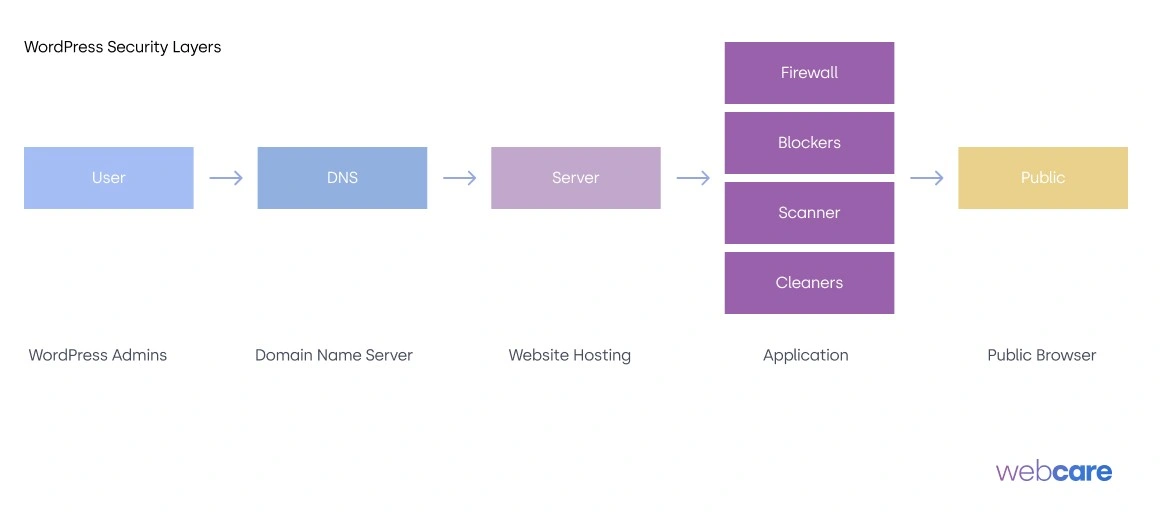
If you’ve been in the WordPress world for a while, you know that there’s no shortage of security plugins out there. But how do you choose the right one? It boils down to ensuring your plugin covers four essential security fundamentals:
- a firewall
- a blocker
- a scanner
- and a cleaner.
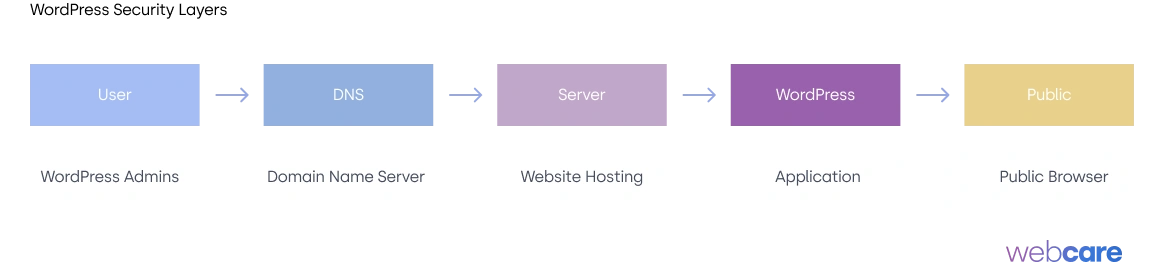
We’ve previously gone into detail about different layers of WordPress security, from DNS to server and WordPress Security layers. If you missed it, check it out here.
While WPBeginner has put together a great piece on WordPress Security. Great at tactics but lacking in understanding and theoretical bits.
Today, though, I want to focus on these four basics every WordPress security setup should cover. If your security plugins doesn’t do all of this, it’s probably time to rethink about your security.
Most WordPress security can be addressed with combo-plugins and snippets.
So don’t limit to a single plugin that solves it all.
Your WordPress setup should look like this.
Firewall: Your First Line of Defense
The firewall is like your site’s security guard, watching the door and deciding who gets in. It filters incoming traffic, blocking anything suspicious before it has a chance to interact with your site.
A good firewall can detect malicious IP addresses, recognize patterns of attacks, and stop brute force attempts in their tracks.
The key thing here is real-time monitoring. Some plugins offer “firewall” protection, but they’re just blocking IP addresses that were bad last week.
Ideally, you want real-time protection that stays updated to address new threats as they come up.
Firewall choices or combination
- Cloudflare – DNS level blocking
- Defender – WordPress level
- Ninjafirewall – PHP level
Blockers: Keep Out the Comment Spam and Login Brute-Forcers
WordPress sites are always under siege from spammers and bots, particularly when it comes to comments and login pages.
Every time a spam bot or malicious user tries to post a comment or brute-force their way into your login, it’s not just annoying—it’s a potential gateway for attacks.
Your security setup needs to have a robust blocking system that catches these nuisances. That means:
- Comment blocking for spam, so your posts aren’t overrun.
- Login blocking for repeated failed login attempts (brute force protection).
- Blocking AI Tools from stealing your content
- Blocking WP Rest API from scrapping your content
- Block Bad Queries through XSS and injections
Most good security plugins allow you to set limits, like blocking an IP after three failed login attempts. This alone can significantly reduce the load on your site and minimize vulnerabilities.
Look for plugins that provide control over these settings so you can tighten or loosen them as needed.
Blockers Plugin Suggestions
- Ninjafirewall – blocks at PHP level
- BBQ – Block bad queries
- Admin and Site Enhancement – Various settings to help block behavior
Scanner: Spotting the Threats
A security scanner does what it sounds like: it scans your site for any signs of trouble. This could include malicious code, outdated plugins, themes with vulnerabilities, or strange file changes.
The scanner is essential for ongoing security. While your firewall might stop some attacks, threats can still sneak in through other means, such as file uploads or vulnerable plugins.
A good scanner will routinely check your site’s files, looking for anything suspicious. If you have a scanner that covers all your bases, you’ll be alerted to threats before they become full-blown issues.
List of Plugins/ Apps for Scanner
- WPScan – CLI level scanning
- PatchStack – Plugin for scanning
- NinjaScanner – Scans vulnerabilities
Cleaner: Repair and Recover
If a threat does manage to get through, you need to clean up the mess—and that’s where a cleaner comes in. While the best security setup will prevent most issues, no security is perfect. If malware or malicious files do end up on your site, a good cleaner will help you remove them without causing further damage.
Some plugins offer automated cleaning, but I recommend plugins that provide manual review options too. Cleaning up malware requires a certain level of care, especially if there are custom code or sensitive areas in your site.
Ideally, you want something that alerts you to the threat and gives you options to either remove it yourself or allow the plugin to take action.
Plugins to use
- Ninja Scanner – Removes unwanted files
Often times, we remove it manually through file manager
Bringing It All Together
When you’re shopping around for a WordPress security plugin, make sure it’s covering these four fundamentals. If a plugin has a solid firewall, effective blocking tools, a scanner to detect issues, and a cleaner to handle any infections, you’re on the right track.
Here’s a checklist you can download and print
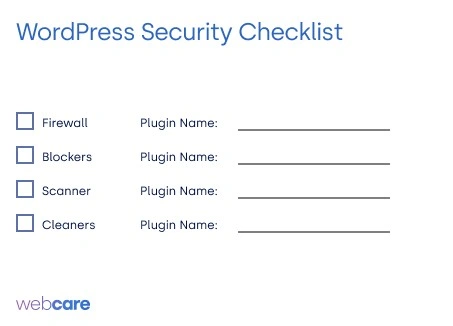
Security isn’t one-size-fits-all, but these basics are non-negotiable. Each one adds an essential layer of protection that collectively forms a solid security foundation.
Ready to take your WordPress security to the next level? With WebCare, you get expert-level security and ongoing maintenance tailored to keep your site safe, fast, and running smoothly.
From proactive protection to regular updates and hands-on support, we handle it all so you can focus on what you do best. Don’t leave your site vulnerable—let’s secure it together!
Get started with WebCare today and protect your WordPress site with confidence!